Cursor vs GitHub Copilot 2026

Originally published on: AllAIWebsite
Cursor vs. GitHub Copilot 2026: Why Developers are Switching to AI-Native IDEs
In 2026, the question is no longer “Should I use AI to code?” but “Which AI should I trust with my entire codebase?” For years, GitHub Copilot was the undisputed king. However, a new challenger, Cursor, has fundamentally shifted the landscape by reimagining the code editor from the ground up.
Is the convenience of a VS Code extension enough to beat a dedicated AI-native IDE? Let’s dive into the benchmarks.
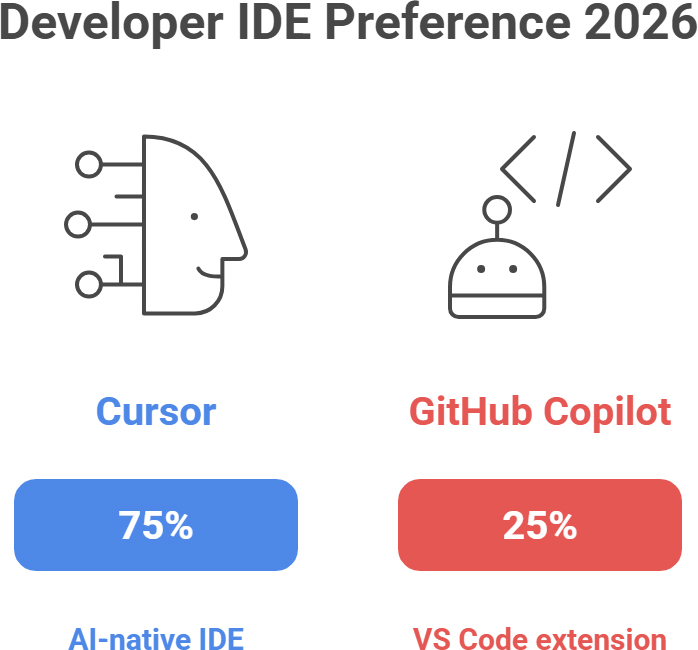
The 2026 Developer Scorecard
| Feature | GitHub Copilot | Cursor AI | Winner |
| Integration | Extension (VS Code, JetBrains) | Stand-alone IDE (Fork of VS Code) | Tie |
| Context Awareness | File-level / Open Tabs | Full Repository Indexing | Cursor |
| Multi-File Editing | Limited (Edits mode) | Composer (Agentic) | Cursor |
| Price (Pro) | $10/month | $20/month | Copilot |
| Model Choice | GPT-5.2 Only | GPT-4o, o1, Claude 3.5/4.5 | Cursor |
1. Context is King: How They “See” Your Code
The biggest differentiator in 2026 is contextual depth.
- GitHub Copilot acts as a brilliant autocomplete. It “sees” the file you are currently working on and perhaps a few open tabs. It is excellent for finishing a function or writing boilerplate, but it often struggles when a change in api/routes.js requires a simultaneous update in models/User.js.
- Cursor indexes your entire local repository. When you ask it a question, it doesn’t just guess; it performs a semantic search across every file in your project. This means it understands your project’s unique architecture, naming conventions, and dependencies without you having to explain them.
2. The Power of “Composer” vs. “Chat”
In 2026, we’ve moved past simple chat boxes. We now use Agents.
- Cursor’s Composer (Cmd+I) is a game-changer. You can describe a high-level feature – like “Add a dark mode toggle that persists in local storage” – and Cursor will write the logic, update the CSS, and modify the header component across multiple files simultaneously.
- GitHub Copilot has introduced “Copilot Edits,” which attempts to do the same. However, because it isn’t “native” to the editor’s core, it can often feel sluggish or lose track of changes in larger monorepos.
3. Pricing: The $10 Difference
- GitHub Copilot remains the “budget-friendly” choice at $10/month. For many hobbyists and students, this is the perfect price point for a tool that covers 80% of daily coding needs.
- Cursor Pro costs $20/month. While it’s double the price, most professional developers argue that the time saved on multi-file refactors and debugging pays for itself in a single afternoon.
The Verdict: Which Should You Choose?
Choose GitHub Copilot if…
- You are already deeply integrated into the GitHub/Microsoft ecosystem.
- You want a simple, reliable tool for autocomplete and boilerplate.
- You prefer to stay in your existing IDE (like IntelliJ or Vim) rather than switching to a new editor.
Choose Cursor if…
- You are a professional developer managing complex, multi-file projects.
- You want the freedom to switch between Claude 4.5 and GPT-5 for different tasks.
- You want an AI Agent that can handle terminal commands and codebase-wide refactors.

Frequently asked questions:
- Is Cursor better than VS Code for AI? Cursor is a fork of VS Code, so it supports all your existing extensions. It is considered “better” for AI because the assistant is built into the core, allowing for deeper context and faster multi-file edits.
- Can I use GitHub Copilot inside Cursor? Technically, yes, but it is redundant. Cursor’s native AI features (powered by Claude and GPT) generally outperform the Copilot extension within the Cursor environment.
- Is Cursor AI free? Cursor has a “Hobby” tier that is free. However, for codebase indexing and unlimited premium model use (GPT-4o/Claude), the Pro plan is $20/month.
- Does GitHub Copilot support Claude 3.5 or 4.5? As of 2026, GitHub Copilot is primarily locked into the OpenAI ecosystem (GPT-5 series), whereas Cursor allows you to toggle between multiple leading LLMs.
- Which is more secure for enterprise code? GitHub Copilot Business offers industry-leading compliance and data-protection features. Cursor offers a “Privacy Mode,” but larger enterprises often prefer the legal protections provided by Microsoft/GitHub.
Finding the Best Coding Solution at AllAIWebsite
At allaiwebsite.com, we help you navigate the rapidly evolving world of AI-assisted development. Whether you’re looking for the best AI code editor for startups or enterprise-grade security benchmarks for GitHub Copilot Business, our directory offers real-world data to back your choice. Don’t waste time with the wrong tools – use our AI Tools Directory to filter editors by language support, privacy features, and team collaboration tools today.



Comments
Post a Comment